
Just moved your office? Chaos follows if cabling isn’t handled right. Office cabling & setup after relocation determines whether your team works productively on day one or struggles for weeks. Computers need connections. Networks require configuration. Phones demand proper wiring. This guide walks you through every step of post-move technology setup. With 12+ years helping Regina businesses relocate, we know exactly what works. Follow this roadmap and your new office will hum with efficiency from morning one.
Why Post-Move Cabling Matters for Your Business
Your beautiful new office means nothing if technology doesn’t work. Office setup after moving is where many relocations fall apart. Computers sit unconnected. Internet remains dark. Phones won’t dial out.
The cost is immediate. Employees can’t work. Clients get frustrated. Projects stall. Studies show businesses lose 30-50% of normal productivity during the first week after moves with poor IT planning .
Beyond immediate losses, bad cabling creates lasting problems. Tangled wires make troubleshooting impossible. Poorly placed connections limit future flexibility. Disorganized setups frustrate employees daily .
Professional post-move office cabling prevents all this. When cables run cleanly and connections work reliably, your team focuses on work—not fighting technology. The right setup pays dividends long after move-in day.
At Regina Moving, we’ve seen both outcomes. Offices with planned cabling thrive. Those that wing it struggle. Which experience do you want?
Pre-Move Planning for Smooth Setup
Great post-move setup starts before moving day. Planning ahead saves hours of frustration later.
Here’s your office relocation setup guide for pre-move preparation:
- Document your current setup. Take photos of every connection—server room, workstations, network closets. These images become invaluable reference later
- Create a network diagram. Map how computers, printers, and phones connect now. Note which devices depend on others
- Inventory all equipment. List every router, switch, patch panel, and cable. Know what you have before needing it
- Order new cabling if needed. Old cables get damaged during moves. Fresh Cat6 or fiber ensures reliable connections
- Label everything. Use numbered tags on both ends of every cable. This simple step saves hours during reconnection
Why this matters so much. Without documentation, reassembly becomes guesswork. Cables end up wrong places. Networks fail to connect. Troubleshooting takes days instead of hours.
Professional corporate office wiring setup always includes this planning phase. At Regina Moving, we coordinate with your IT team to document everything before a single box moves.
First Steps After Arriving at Your New Space
You’ve arrived. Now what? Don’t rush into unboxing computers. Follow this sequence for smooth office network setup after relocation.
Start with infrastructure. Locate your network closet or server room. Verify power is working and cooling systems operate . These rooms generate heat—without proper AC, equipment overheats quickly.
Inspect your new cabling infrastructure. Are there enough network drops? Do they terminate in the right locations? Identify any gaps before moving equipment into place .
Now tackle the physical setup:
- Install server racks and network cabinets first
- Run backbone cabling between closets and work areas
- Set up core switches and routers
- Verify internet connection with your provider
Don’t connect end-user devices yet. Get infrastructure working first. Once the core network functions, you’ll connect workstations systematically. This staged approach prevents chaos and makes troubleshooting manageable .
Structured Cabling Best Practices
How you run cables determines future reliability. Sloppy wiring creates problems for years. Professional structured cabling office relocation follows proven standards.
Here’s what proper cabling looks like:
- Use quality cable. Cat6 or Cat6a supports current and future speeds. Don’t reuse old, damaged cables from your previous space
- Follow color standards. Use consistent colors for different connection types—blue for data, yellow for phones, red for critical systems
- Manage cable length. Avoid excessive slack that creates tangles. But leave enough service loop for future adjustments
- Secure cables properly. Use velcro ties, not zip ties, which damage cables when tightened. Run cables in trays or raceways
- Document everything. Update your network diagram with new port locations and connection points
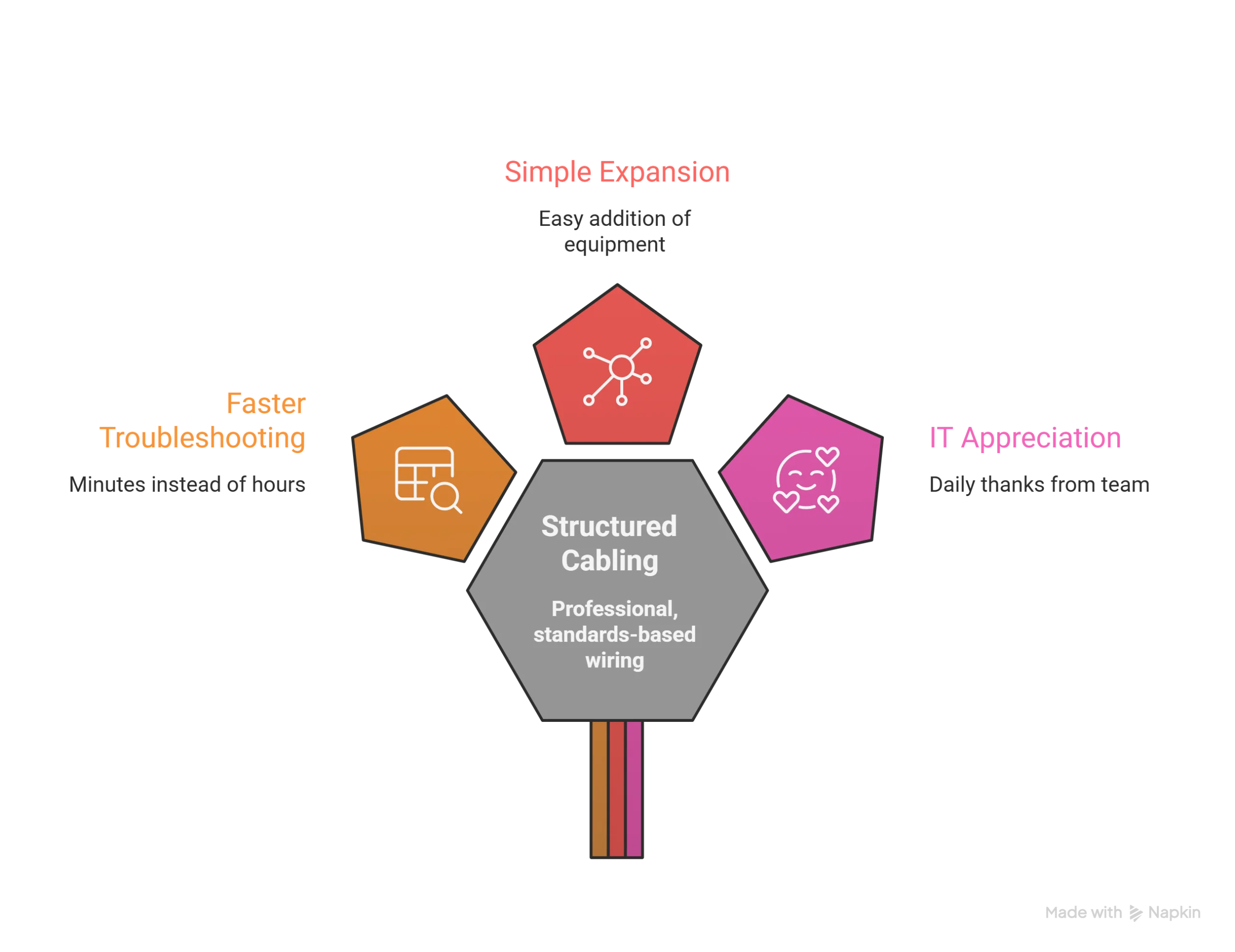
Why standards matter. When every cable has a place, troubleshooting takes minutes instead of hours. Adding new equipment becomes simple. Your IT team thanks you daily .
Professional office IT cabling tips also include planning for growth. Install extra capacity now—adding cables later costs much more. A few extra drops during setup prevent expensive upgrades next year.
Connecting Workstations and Peripherals
Infrastructure works. Now connect your team. This phase brings your office electronics setup to life.
Follow this sequence for efficiency:
- Connect network switches and verify link lights
- Set up printers and copiers first—they’re shared resources everyone needs
- Configure wireless access points so mobile devices connect
- Connect workstations department by department
- Test each connection before moving to the next
Use your documentation. Reference photos show exactly how things connected before. Your cable labels guide proper connections. This systematic approach prevents the chaos of “plug everything in and hope.”
Don’t forget phones. VoIP systems need network configuration. Traditional phone lines require punch-downs at distribution blocks. Verify dial tones before assuming everything works .
Power matters too. Ensure workstations connect to proper outlets—not overloaded circuits. Use UPS units for sensitive equipment to protect against power fluctuations .
Testing and Troubleshooting Your New Setup
Setup complete. Now prove everything works. Thorough testing prevents surprises when employees arrive Monday morning.
Run these tests systematically:
- Verify network connectivity at every drop. Use testing tools to confirm proper termination and signal strength
- Check internet speed. Confirm bandwidth matches your provider commitment. Slow connections indicate configuration issues
- Test all phones. Make test calls from every desk. Verify voicemail and auto-attendant functions
- Print from multiple workstations. Confirm printer sharing works and drivers installed correctly
- Check wireless coverage. Walk the entire office with a laptop or phone. Dead zones need additional access points
Document any issues. Create a punch list of problems needing resolution. Prioritize by business impact—shared resources first, individual workstations second .
Schedule follow-up after one week. New setups always need adjustments. Employees discover quirks during daily use. Addressing these quickly maintains productivity and morale .
Regina Moving Coordinates Your Complete Setup
You’ve learned how to handle office cabling & setup after relocation. Now let experts manage the complexity. With 12+ years of experience and 54k+ successful moves, Regina Moving partners with local IT professionals to ensure seamless technology transitions.
Our trained crews coordinate with your team from day one. We document connections, label everything, and handle physical setup so your IT staff focuses on configuration. Weekend moves? After-hours scheduling? We adapt to your business needs while keeping technology running.
👉 Book Your Office Move Date Today and get a free, no-obligation quote. Let Regina’s most trusted commercial movers handle your complete relocation—furniture, technology, and everything in between.
Top 5 FAQs About Office Cabling After Moving
How long does office cabling setup take after moving?
For a typical office, 1-3 days depending on size and complexity. Infrastructure setup happens first, then workstation connections .
Can I reuse cables from my old office?
Only if they’re undamaged and meet current specifications. Old Cat5 cable won’t support modern speeds. Inspect every cable before reusing .
Should I hire professionals for office cabling?
Yes, for structured cabling. Certified technicians ensure proper termination, testing, and compliance with building codes .
What’s the most common cabling mistake?
Poor labeling. Without clear identification, troubleshooting becomes guesswork. Label both ends of every cable during installation .
How do I prepare my IT team for post-move setup?
Involve them early in planning. Share floor plans and network diagrams. Schedule dedicated setup time before employees arrive .

